
Arthzo LMS on your phone
Notes, narrated lessons, unit tests and full mock tests for JAIIB and CAIIB — in one app. Log in with the same email and password you use on lms.arthzo.in; everything you bought on the website is already there.
Our Play Store listing is under review and will be live soon. Until then you can download the app directly from this page — it is the same app, built and signed by Arthzo.
Android 8.0 or newer · about 35 MB · free to install; your website purchases carry over. iPhone users: use lms.arthzo.in in Safari for now.
A look inside
How to install (2 minutes)
- Tap Download the app for Android above and wait for the download to finish (about 35 MB).
- Open the file from the download notification, or from Files → Downloads.
- If the phone says “For your security, your phone is not allowed to install unknown apps from this source”, tap Settings, switch on Allow from this source, then go back.
- Tap Install. If Play Protect shows “Unknown developer”, tap More details → Install anyway — this message disappears once the Play Store listing is live.
- Tap Open and sign in with your Arthzo account.
- On Xiaomi / Redmi / POCO phones you may see one extra warning; tap Install anyway.
Download the app only from this page or, later, from Google Play. Updates: when a new version is available we will tell you here and in the app; install it over the old one — no need to uninstall.
How to use the app
Sign in
Use the same email and password as lms.arthzo.in. New here? Tap Create free account — it takes a minute.
Home
Your courses, where you left off, and today’s practice target. Tap any course to continue.
Courses
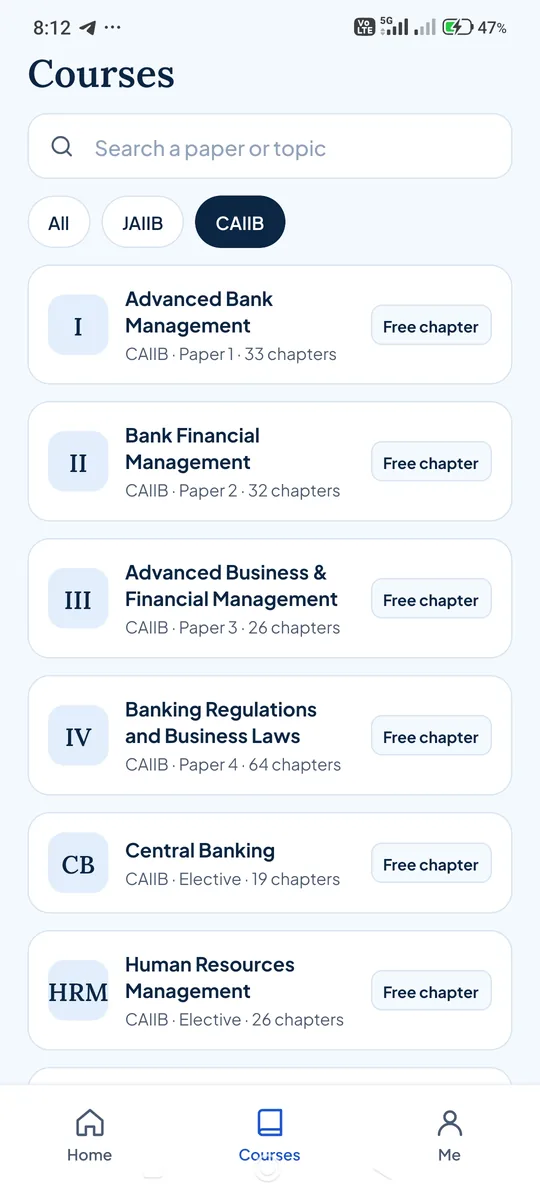
Browse JAIIB and CAIIB papers. “Free chapter” means Unit 1 notes and its test are open to everyone — no purchase needed.
Notes
Open a unit → Notes. PDF notes can be saved on the phone (Me → Saved notes) and read without internet. They are licensed to your account and cannot be shared.
Lessons
Narrated lessons play inside the app. Screen recording and screenshots are blocked in lessons and tests to protect the content.
Tests
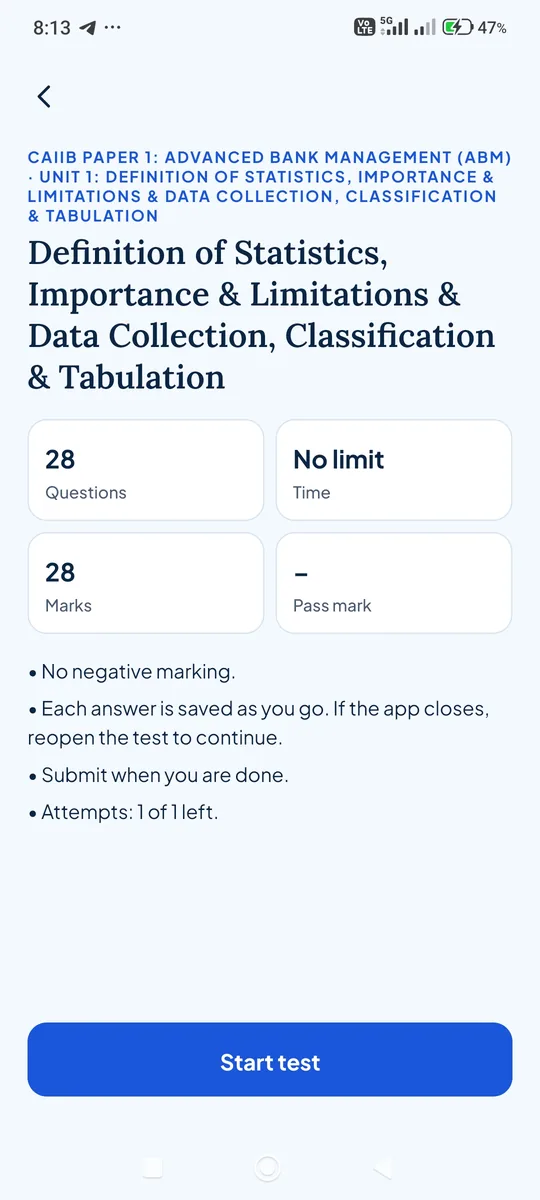
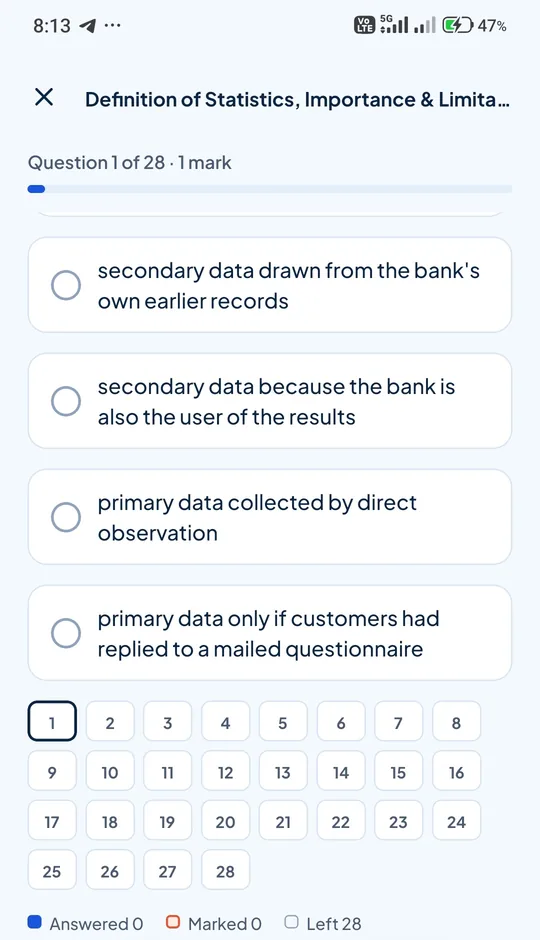
Unit tests have no time limit and no negative marking. Every answer saves as you go — if the app closes, reopen the test and continue. Mark questions for review and use the palette to jump around.
Mock tests
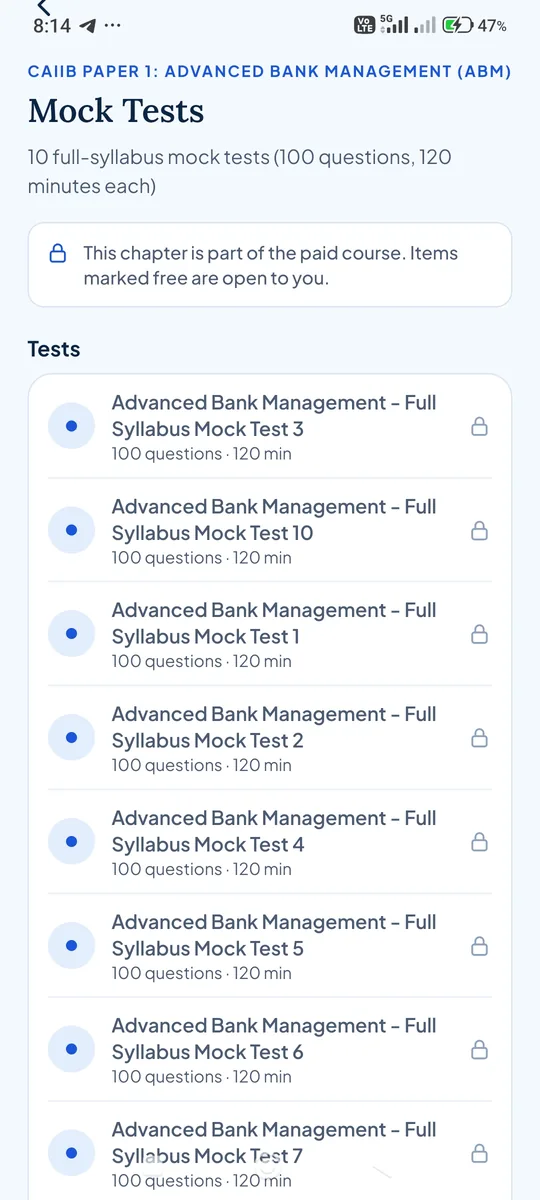
Each paper has 10 full-syllabus mocks (100 questions, 120 minutes) with an exam-style timer. Results and answer review appear after you submit.
Me
Saved notes, purchases, daily question target, email updates, help and account settings.
Questions
- Do I need to buy again in the app?
- No. Purchases are tied to your account, not the device. Buy on the website or in the app; both show the same courses.
- Why isn’t it on the Play Store yet?
- Google’s review for a new developer account takes a few weeks. The app you download here is the same build we have submitted. When the listing goes live you can switch to the Play Store version for automatic updates.
- Is the direct download safe?
- Yes, as long as you download it from lms.arthzo.in/app. The file is built and signed by Arthzo. Do not install copies shared from other websites or groups.
- Can I download notes and videos?
- PDF notes can be saved for offline reading inside the app. Lessons and tests need an internet connection; downloading them is not possible, and screenshots are blocked in those screens.
- Something isn’t working
- Use Me → Help and support in the app, or write to us from the website’s Help page. Tell us your phone model and what you tapped.